
Share this post
Take control of your finances with solutions that make managing money easier and more rewarding.
Explore opportunities to fund your goals with flexible and tailored options designed for you.
Step closer to your next milestone with options that support your financial journey.
Our dedicated mortgage experts provide personalized guidance to help you navigate your path to homeownership with confidence.
Discover tools and support that bring convenience and peace of mind to your financial life.
Discover how OnPath Credit Union empowers financial freedom by placing people—not profits—first. Explore our EPIIC vision, rich history, and commitment to supporting members, local businesses, and communities.
Access tools and resources designed to empower you with smarter financial choices.
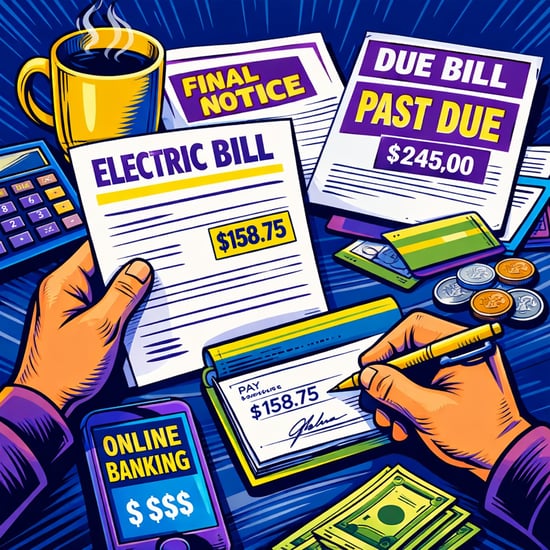
Missing a payment is often less about responsibility and more about timing, organization, or simply forgetting a due date.
People who never miss bill payments usually don’t rely on memory alone. Instead, they use simple systems like automatic payments, reminders, and account alerts to make sure bills get paid on time.
One of the most common habits of people who never miss bills is setting up automatic payments for bills that are the same amount every month. This often includes rent or mortgage payments, car payments, insurance premiums, and many subscription services.
Using automatic payments or online bill pay means these bills are paid on schedule without having to remember every due date. Many people also set up automatic payments for at least the minimum payment on credit cards to avoid late fees, even if they plan to pay the full balance later.
Another common habit is keeping a small cushion in a checking account. This cushion helps cover variable expenses and timing differences between when paychecks are deposited and when bills or automatic payments are withdrawn.
Debit card purchases, automatic payments, and pending transactions do not always post at the exact time people expect, and monthly budgets aren’t always uniform. A small buffer in checking can help prevent overdrafts and missed payments caused by these timing issues or variations in monthly expenses.
Even a few hundred dollars left in the account as a cushion can make a big difference.
People who rarely miss bills usually have a general awareness of when their bills are due each month. They may keep a simple calendar, a note in their phone, or just know that most recurring bills are due around certain dates because they’ve been paying them for years.
They don’t necessarily track every dollar in a detailed budget, but they do understand their monthly payment schedule and how it lines up with their paychecks. This makes it easier to make sure money is in the account when payments are scheduled.
Bank account alerts and payment reminders act as a backup system. OnPath Credit Union’s digital banking services allow customers to set alerts for low balances, upcoming payments, deposits, or large transactions.
These alerts can serve as reminders to move money, check balances, or confirm that a payment has been made. Instead of relying on memory, alerts provide a simple way to stay informed about account activity and upcoming bills.
Some people find it easier to manage bills by separating bill money from everyday spending money. This might mean using one checking account for bills and another for spending, or simply keeping a portion of their money set aside in a separate savings account for upcoming expenses.
Separating bills and spending can reduce the chances of accidentally spending money that was meant for rent, utilities, or other monthly payments.
People who stay on top of bills usually check their accounts regularly. This doesn’t mean creating complicated spreadsheets or tracking every purchase, but logging in periodically to review balances, upcoming payments, and recent transactions can give account holders time to move money or adjust spending if needed before a bill is due.
Paying bills on time usually comes down to organization, automation, and staying aware of account balances and due dates. Online bill pay, account alerts, automatic payments, and mobile banking tools can make it much easier to manage monthly bills and avoid missed payments.
Become a member of OnPath Credit Union and take advantage of highly rated digital banking tools that can help you schedule payments, set alerts, and track account activity.
Get the latest tips and tricks, delivered directly to your inbox.

You will be linking to another website not owned or operated by OnPath Credit Union. We do not control these sites and do not guarantee the accuracy, completeness, efficiency or timeliness of the information contained therein. We encourage you to review their privacy and security policies which may differ from OnPath Credit Union.