
Share this post
Take control of your finances with solutions that make managing money easier and more rewarding.
Explore opportunities to fund your goals with flexible and tailored options designed for you.
Step closer to your next milestone with options that support your financial journey.
Our dedicated mortgage experts provide personalized guidance to help you navigate your path to homeownership with confidence.
Discover tools and support that bring convenience and peace of mind to your financial life.
Discover how OnPath Credit Union empowers financial freedom by placing people—not profits—first. Explore our EPIIC vision, rich history, and commitment to supporting members, local businesses, and communities.
Access tools and resources designed to empower you with smarter financial choices.
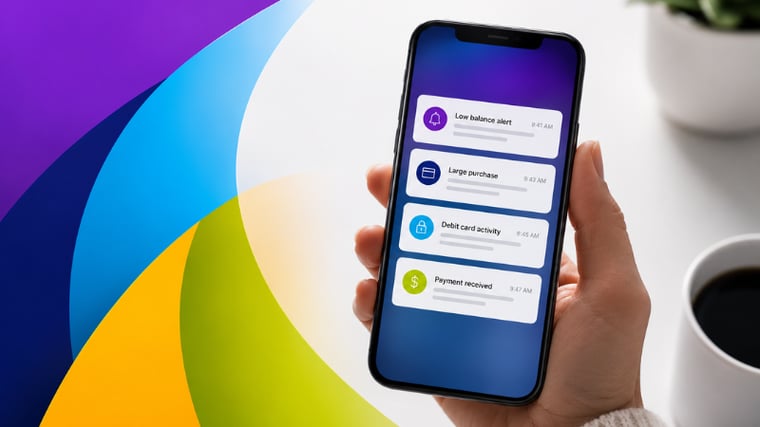
The most useful banking app notifications are those that give you time to react before something becomes a problem. In a bank’s mobile app, this usually means helping you:
Some banking apps have dozens of alert options, but only a handful will fall into those categories.
Low balance alerts are one of the simplest and most effective ways to avoid overdrafts.
Instead of waiting until your account is close to zero, you can set a threshold that gives you time to act. That might mean transferring money, delaying a purchase, or just double-checking pending transactions.
The key is not setting the alert balance at $0. By the time your balance reaches that point, you may have already overdrawn your account. Instead, set a buffer balance that makes sense for your spending habits and normal balance.
Transaction alerts can be set up to notify you when a debit or credit transaction above a certain amount hits your account. This is useful for two reasons:
Because these alerts can be customized, you can decide what qualifies as a “large” transaction. For some people that might be $100. For others, it might be much higher.
With activity alerts, you will know right away if your card is used somewhere you don’t recognize. Acting fast when fraud occurs can help you limit the financial damage, resolve the issue quickly, and minimize any disruption caused by frozen accounts.
Even if large or unusual purchases are legitimate, these alerts can help you pay closer attention to your spending habits without needing to log into your account.
Transfer and payment alerts confirm that money moved where it was supposed to go. This can include:
Instead of wondering whether a payment went through, you get confirmation as it happens. That can help you avoid missed payments, duplicate payments, or confusion about account balances.
Each of these alerts covers a different part of your account activity.
Together, these alerts keep you updated on transactions that have a real impact on your finances without overwhelming you with notifications.
Most alerts can be set up in your online or mobile banking settings. You can usually choose:
Taking a few minutes to customize these settings can make managing your account much easier.
OnPath Credit Union’s mobile banking app maintains a high rating on both the Apple App Store and Google Play Store. Members can easily set up and customize the alerts that will help them budget, prevent fraud, and worry less about their financial security. Become a member and make use of our customizable mobile alerts today.
Get the latest tips and tricks, delivered directly to your inbox.

You will be linking to another website not owned or operated by OnPath Credit Union. We do not control these sites and do not guarantee the accuracy, completeness, efficiency or timeliness of the information contained therein. We encourage you to review their privacy and security policies which may differ from OnPath Credit Union.